Mastering the Grocery Tote Bag Smart Mockup for Creative Design
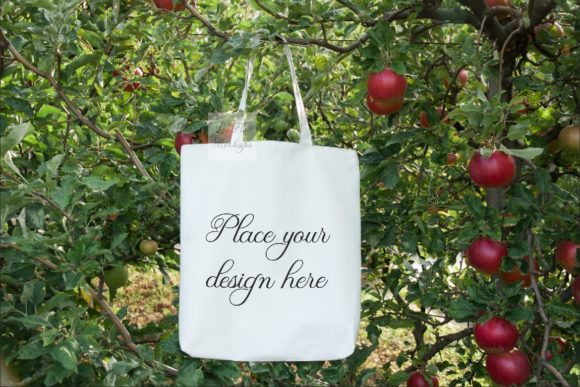
The Grocery Tote Bag Smart Mockup has become an essential tool for designers, marketers, and content creators looking to showcase their work in a visually appealing and professional manner. This digital product offers a realistic and versatile platform that allows users to place various design elements onto a high-quality mockup of a rustic neutral minimal shopping tote bag. Whether you're working on a wedding invitation, a vintage illustration, or a modern font design, this mockup provides a perfect canvas to elevate your visual projects.
Understanding the Grocery Tote Bag Smart Mockup
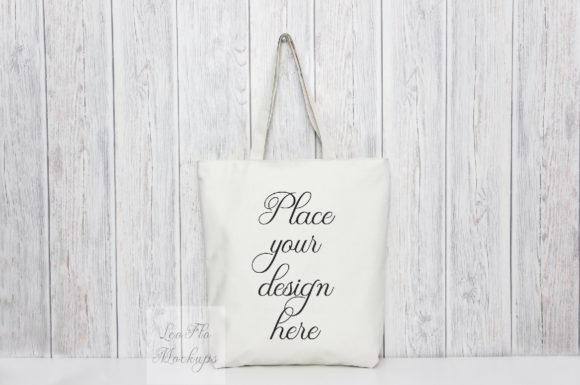
The Grocery Tote Bag Smart Mockup is designed with both functionality and aesthetics in mind. It features a high-resolution image of a tote bag with a clean, neutral background that makes it easy to highlight any design or artwork placed on it. The mockup is available in two main formats: a single hi-res JPG file and a smart object PSD file. Both options are ideal for different use cases, depending on the level of customization required.
The JPG format is perfect for quick use in social media posts, websites, or blogs. It’s ready to use without any additional editing, making it an excellent choice for those who need to share their designs quickly. On the other hand, the PSD file offers greater flexibility. With layers that can be edited using Photoshop CS4 or newer versions, as well as online editors like PIXLR, users have the freedom to adjust text, add graphics, or modify the design layout without affecting the original image quality.
Key Features of the Grocery Tote Bag Smart Mockup
- High-Resolution Image: The mockup comes in a resolution of 3504 x 2336 pixels at 300 DPI, ensuring crisp and clear visuals for both print and digital use.
- Smart Object Layer: The PSD version includes a smart object layer that allows users to place text, logos, or illustrations directly onto the tote bag. This layer is set to multiply mode, which ensures that the design appears naturally on the fabric texture.
- No Watermarks or Artwork: As a digital product, the Grocery Tote Bag Smart Mockup is delivered without any watermarks, ensuring that your final output is clean and professional.
- Easy Instructions: A help file is included to guide users through the process of opening and editing the PSD file, making it accessible even for beginners.
Use Cases for the Grocery Tote Bag Smart Mockup
The versatility of the Grocery Tote Bag Smart Mockup makes it suitable for a wide range of creative applications. Here are some common use cases where this mockup proves invaluable:
1. Displaying Graphic Designs
Whether you're a graphic designer or a small business owner, the Grocery Tote Bag Smart Mockup is an excellent way to showcase your designs. By placing your artwork on the tote bag, you can create eye-catching visuals that are ideal for marketing campaigns, social media posts, or product listings.
For example, a fashion brand might use this mockup to display a custom logo or pattern on a tote bag, giving customers a tangible representation of their design before production. Similarly, a boutique could use the mockup to present a new line of embroidered bags, allowing potential buyers to visualize how the final product will look.
2. Creating Wedding Invitations and Stationery
The rustic and neutral aesthetic of the Grocery Tote Bag Smart Mockup makes it a great fit for wedding-related content. Designers can use this mockup to create invitations, thank-you cards, or even table numbers that feature elegant typography or floral motifs.
By placing a hand-drawn illustration or a custom font on the tote bag, designers can create a cohesive and stylish theme that aligns with the overall wedding vision. This approach not only adds visual interest but also helps to convey the tone and style of the event.
3. Marketing Products Online
For e-commerce businesses, the Grocery Tote Bag Smart Mockup can serve as a powerful marketing tool. High-quality images of products displayed on the tote bag can be used to attract customers and increase sales.
For instance, a sustainable lifestyle brand might use this mockup to showcase eco-friendly products such as reusable bottles or organic skincare items. By placing these products on the tote bag, the brand can create a visual narrative that emphasizes sustainability and convenience.
Advantages of Using the Grocery Tote Bag Smart Mockup
One of the primary advantages of the Grocery Tote Bag Smart Mockup is its ability to provide a realistic and professional-looking preview of any design. This is particularly useful when working on projects that require a strong visual impact, such as branding, packaging, or promotional materials.
Additionally, the mockup’s compatibility with both Photoshop and online editors makes it accessible to a wide range of users, regardless of their technical expertise. Whether you’re a seasoned designer or a hobbyist, you can easily customize the mockup to suit your specific needs.
Another benefit is the ease of use. The inclusion of a help file ensures that users can quickly understand how to edit the PSD file and make the most of the smart object layer. This eliminates the learning curve associated with more complex design tools, allowing users to focus on their creative process.
Considerations When Using the Grocery Tote Bag Smart Mockup
While the Grocery Tote Bag Smart Mockup offers numerous benefits, there are a few considerations to keep in mind when using it:
- Background and Objects Are Fixed: The bag and background are on the same layer, meaning they cannot be moved or altered. Users should be aware that the scene is a real photo and that certain elements may not be editable.
- Design Placement Is Limited: While the smart object layer allows for text and design placement, the underlying image remains unchanged. This means that the design must be carefully positioned to ensure it looks natural on the tote bag.
- Resolution Matters: For high-quality prints or large-scale displays, it's important to use the hi-res JPG file to maintain clarity and detail.
Conclusion
The Grocery Tote Bag Smart Mockup is a valuable resource for anyone involved in creative design, marketing, or content creation. Its combination of high-resolution visuals, flexible editing options, and user-friendly interface makes it an ideal choice for both professionals and hobbyists. By leveraging this mockup, designers can effectively showcase their work in a realistic and engaging way, enhancing the overall appeal of their projects.